UKVI Account Photo Update Photo in the US
35 × 45 mm · white background · UKVI
$8.99 digital file
Wrong size, background or crop? We fix it free or refund you in full. Refund policy
Rules last checked against UKVI on 25 October 2026.
About this photo
Applying through the UKVI? The UKVI Account Photo Update photo it wants measures 35 by 45 mm. The upload for UKVI online application needs to be at least 600 by 750 pixels, as a JPEG, no larger than 10 MB. Use a plain white or light grey or off-white background with nothing behind you and no shadow on the wall. You can take it at home on a phone: have someone stand a couple of metres away at eye level rather than holding the phone yourself. Head height from chin to crown is 29 to 34 mm. Neutral expression, eyes open, mouth closed, looking straight at the camera. From a phone picture we produce the UKVI Account Photo Update photo at this size and verify the framing against the UKVI rules.
Photo requirements
| Photo size | 35 × 45 mm |
|---|---|
| Digital file | JPEG, at least 600 × 750 pixels, up to 9.5 MB, for UKVI online application |
| Background | white, also accepted: light grey, off-white |
| Head size | 64–76% of the photo height (29–34 mm, chin to crown, top of head, including hair) |
| Expression | Neutral, mouth closed, eyes open |
| Glasses | Allowed. No tinted lenses or sunglasses. No glare on the lenses. Frames must not cover any part of the eyes. |
| Head coverings | Allowed for religious or medical reasons. The whole face from chin to forehead must be visible. |
| Head position | Facing the camera, tilted no more than 10° |
| Other rules | Taken within the last 1 months; The eVisa photo lives in your UKVI account; a new photo must meet the UK digital photo rules for visa applications; Neutral expression, eyes open, mouth closed, looking straight at the camera |
Do

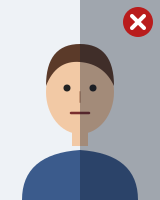
Don't



How it works
1. Take or upload a photo
Use your phone camera against a plain wall, or pick a photo you already have.
2. We size and check it
We crop to the right size, replace the background and check it against the rules above.
3. Download and use it
Pay once, then download the digital file and the print sheet straight away.
If our processing gets the size, background or crop wrong for this document, we fix it free or refund you in full. Final acceptance is always decided by the issuing authority.
Questions about UKVI Account Photo Update photos
What size is a UKVI Account Photo Update photo?
UKVI Account Photo Update photos are 35 × 45 mm. The head should fill 64–76% of the photo height (29–34 mm, chin to crown, top of head, including hair).
What background does a UKVI Account Photo Update photo need?
A plain white background (light grey, off-white is also accepted), with no shadows, patterns or objects. We replace the background for you, but a plain wall gives the cleanest edges around your hair.
Can I wear glasses in a UKVI Account Photo Update photo?
Yes. No tinted lenses or sunglasses. No glare on the lenses. Frames must not cover any part of the eyes.
Can I smile in a UKVI Account Photo Update photo?
No. Keep a neutral expression with your mouth closed and your eyes open.
Can I wear a head covering?
Allowed for religious or medical reasons. The whole face from chin to forehead must be visible.
Can I take a UKVI Account Photo Update photo at home?
Usually, yes, as long as it meets the rules above. Check the instructions for your application route, because final acceptance is always decided by UKVI. PhotoPass ID sizes your photo and checks it against these rules before you pay.
What file does the online application need?
A digital photo file: JPEG, at least 600 × 750 pixels, up to 9.5 MB, for UKVI online application. Your download is prepared to these settings.
How much does a UKVI Account Photo Update photo cost in the US?
$8.99 for the digital file, paid once. It includes a print-at-home sheet you can print at any photo shop.
What if something is wrong with my photo?
If our processing gets the size, background or crop wrong for this document, we fix it free or refund you in full. Final acceptance is always decided by the issuing authority.
Official source: UKVI
Read the rules on the authority's website: UKVI (gov.uk).
Rules last checked against UKVI on 25 October 2026.
Related pages
More photos in the US
- UK Passport photo · 35 × 45 mm
- 16-25 Railcard photo · 35 × 45 mm
- 18+ Student Oyster Photocard photo · 35 × 45 mm
- 26-30 Railcard photo · 35 × 45 mm
- 60+ London Oyster Photocard photo · 35 × 45 mm
- British Citizenship by Naturalisation photo · 35 × 45 mm